Turborg AI: Models, Budget, /tb Commands & Message Polish
Hi, it's Christina 👋 Your turborg isn't just a bouncer - it's an AI you can use right inside IRC. This guide covers the models, your budget, the built-in /tb commands, AI Polish, and the AI that builds skills and flows for you.
The models
xShellz gives you three AI models, each tuned for a different job:
- Floko - fast everyday model for quick answers and edits. (All plans.)
- Chuppa - fast reasoning model for everyday multi-step work, light on your budget. This is the default. (All plans.)
- Axiom - the most capable reasoning model for the hardest work; heavier on your budget. (Paid plans.)
You usually don't have to pick - your plan and the task choose a sensible model for you.
Your AI budget
AI runs on a simple credit budget that's shared across everything your turborgs do. It's a rolling 24-hour window: each bit of usage frees itself back up exactly 24 hours after you spent it - so there's no fixed "midnight reset", it just keeps topping back up.
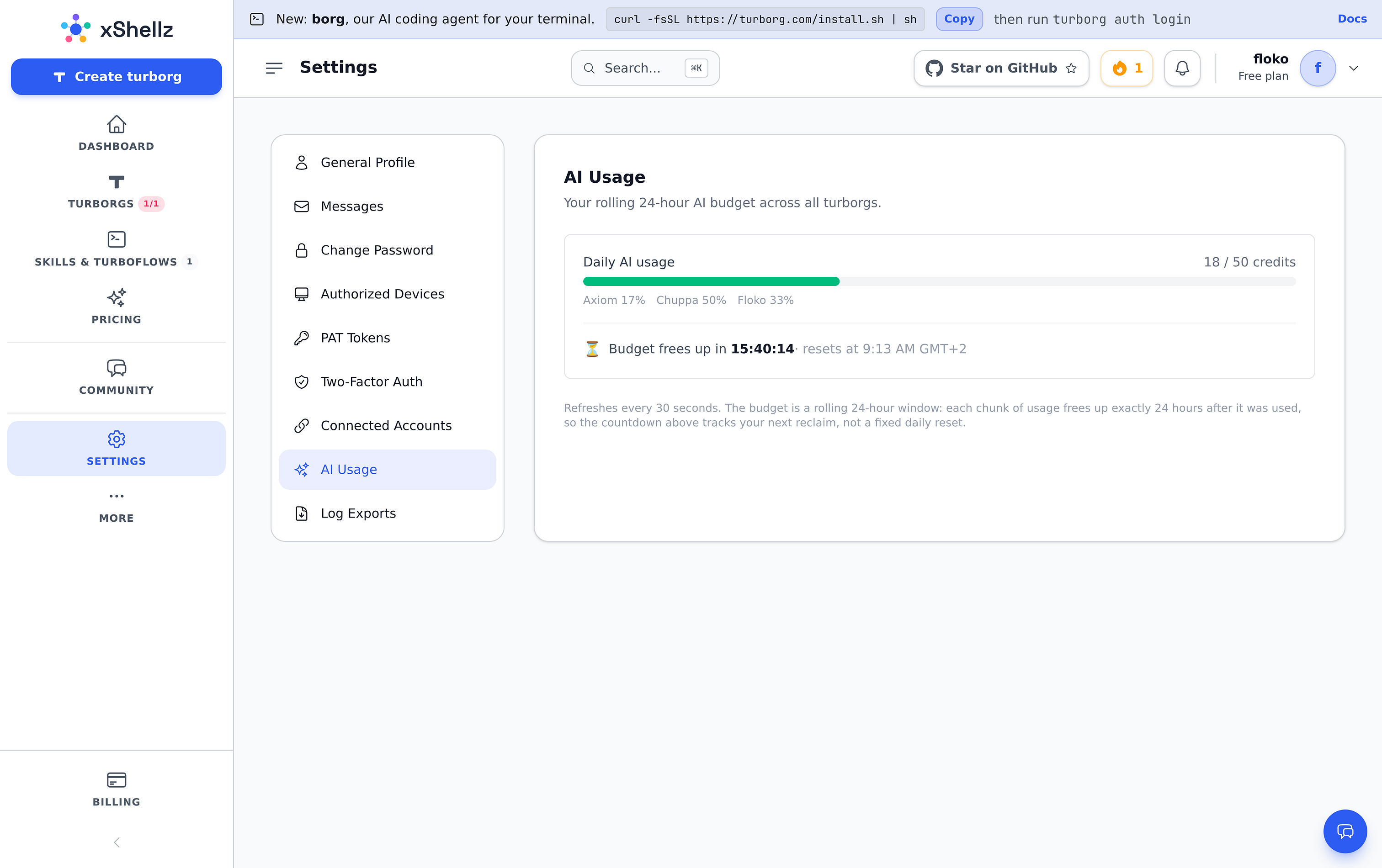
Check it any time under Settings → AI Usage:

You'll see how many credits you've used out of your daily allowance, a breakdown by model, and a countdown to when your budget next frees up. Daily allowances:
| Plan | Daily credits |
|---|---|
| Free | 50 |
| Starter | 233 |
| Pro | 500 |
| Max | 1,250 |
If you ever run out, AI features pause with a friendly "budget exhausted" message until your window frees up - or you can upgrade for more headroom.
/tb - AI commands in chat
From any channel, type:
/tb summarize [N]- summarise the last N messages. Great for catching up./tb tldr <url>- a private TL;DR of a web page./tb usage- your/tblimits on the current plan./tb help- the full list.
On Libera.Chat, AI channel commands require channel-operator (+o) status to comply with their bot policy. Other networks don't have this rule.
✨ AI Polish
Toggle AI Polish in the compose bar and every message you send first gets a quick grammar-and-clarity pass - your meaning and tone stay exactly the same. You get a "review before sending" step:
- Enter - accept and send the polished version.
- Esc - send your original instead.
- Edit - load the polished text and tweak it.
Your original is never lost, and if the AI is busy or you're out of budget, your message just sends as-is. It's available on every plan.
AI that builds for you
You don't have to write automations by hand - describe them and let the AI draft them:
- Describe your flow on the Flows page → the AI drafts a complete turboflow you can review and save.
- Describe your skill on the skill editor → the AI fills in the whole form.
Nothing is saved until you look it over and hit save, and both draw from the same daily credit budget.
Where the AI shows up - quick recap
- In chat:
/tb summarize,/tb tldr,/tb help. - When you type: ✨ AI Polish.
- In your automations: an Ask the AI step inside a turboflow, or an AI reply / AI moderate skill.
- When building: AI drafting of skills and flows.
- Your budget: Settings → AI Usage.
Everything shares one rolling 24-hour credit pool, so you're always in control of what you spend.
Ready to try it yourself? Create your free turborg → - no card needed.